


Solitaire - Classic Card Game
4.711.17K Reviews
App Specs
- Version
- 2.9.1
- Updated On
- License
- Free
- Downloads
- 10,000,000+
- Developer
- Bluetile
- Categories
- Card
- Platform
- Android, iOS
Screenshots
 Analysis by AppCompare
If you’re anything like me, sometimes you just need a quick escape from the hustle and bustle of daily life. And what better way to do that than with a classic game of Solitaire - Classic Card Game? This app brings the beloved card game right to your fingertips, making it super easy to dive into a game whenever you get a moment to yourself.
A familiar card table on your phone
My first impression is that this is a focused take on solitaire, not a card-game collection trying to serve every possible mood. Playvalve’s game keeps the attention on the familiar single-player routine: sort the tableau, uncover what is hidden, and build the foundations when the cards allow it. That simplicity is its main appeal. I can open it for a short break without learning a new ruleset or planning a long session.
That focus also sets expectations. If you want multiplayer, a broad collection of card games, or a deep campaign with a story, this is not the one I would choose. It is better suited to people who already enjoy classic solitaire and want a convenient phone version. The game is free to start, with optional in-app purchases priced from $2.49 to $11.99 per item, so I’d treat it as a casual pastime rather than assume every part of the experience is paid-free or purchase-free.
The everyday rhythm: deal, scan, and decide
The useful habit I’ve settled into is to scan the whole tableau before moving the first card. It is tempting to make the immediately available move, but checking which face-down cards can be exposed helps me avoid using a useful card from the stock too early. I also try to move cards to the foundations when it is safe, rather than automatically sending every eligible card there; a card that looks finished can still be useful for building a sequence in the tableau.
That small pause makes a difference when choosing between Draw 1 and Draw 3. Draw 1 gives me a clearer view of the stock and is the more forgiving choice when I want a relaxed game. Draw 3 makes planning more important because the order of cards in the stock matters, and a card can be temporarily inaccessible behind others. When I want a calmer, less demanding break, I choose the former; when I want to think several moves ahead, I use the latter.
A practical session does not need to be long. I might play while waiting for a kettle or during a quiet stretch between errands, then leave the game when the break is over. Solitaire suits that stop-and-start pattern better than games built around timed rounds or live opponents. If I’m commuting, I also appreciate being able to play offline, though I would still avoid starting a game when I know I’ll need to put the phone away immediately: an interrupted board is less satisfying than a clean, short session.
The Nostalgic Charm
Let’s start with the basics. Solitaire - Classic Card Game is all about bringing that old-school card game experience to your smartphone. You know, the one you used to play on your Windows 95 when no one was looking? Yeah, that one! The graphics are simple but crisp, and they perfectly capture the essence of the original game. It’s almost like you can hear the satisfying shuffle of real cards as you play.
Worth Reading Before You Choose

Baby Panda World Brings Quick Play to Modern Phones, but Its Game Library Feels Busy

ESPN’s Live Game View Makes Following Close Games Easier

QuizzLand Review: A Good Fit for Short Trivia Breaks, Not Every Player

Basketball Stars: Multiplayer Is Fast, but Can It Recover When Matches Go Wrong?

WEBTOON Turns Phone Updates Into a Better Reading Routine

Link to Windows Runs on Shared Habits, Not Social Feeds
Gameplay and Features
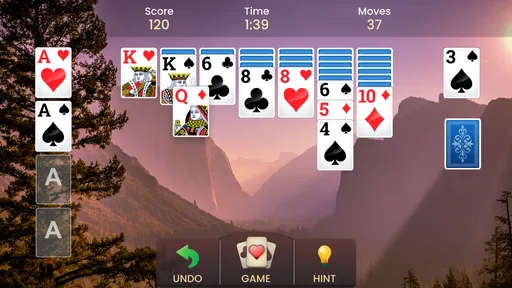
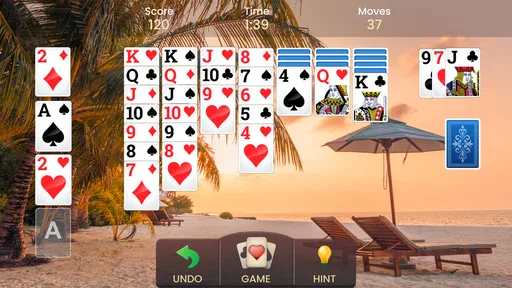
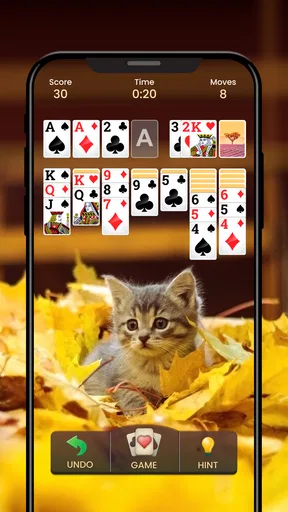
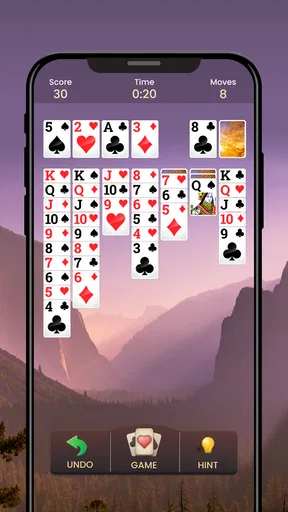
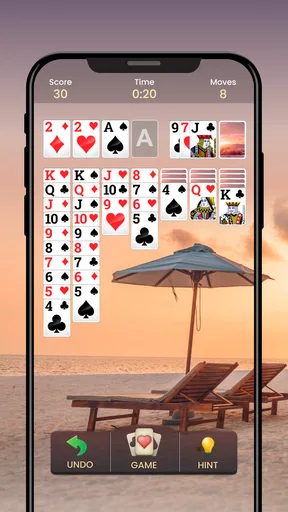
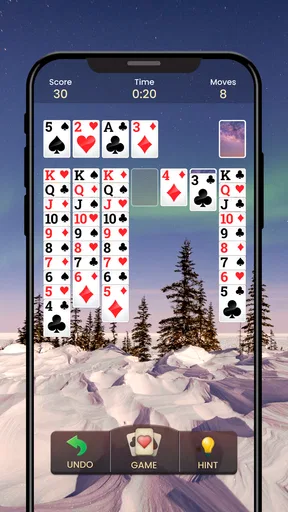
The game mechanics are exactly what you’d expect from a Solitaire game. You can choose from a variety of settings to customize your gameplay experience. Whether you’re a fan of Draw 1 or Draw 3, the app has got you covered. Plus, the drag-and-drop function is smooth and intuitive, making it easy to move cards around. And if you’re feeling a bit stuck, there’s a hint feature that gently nudges you in the right direction.
One of the things I love about this app is its offline mode. You can play anywhere, anytime, without needing an internet connection. Perfect for those long subway rides or waiting in line at the coffee shop. Plus, the daily challenges add a nice twist to the regular gameplay and keep things fresh.
User Experience
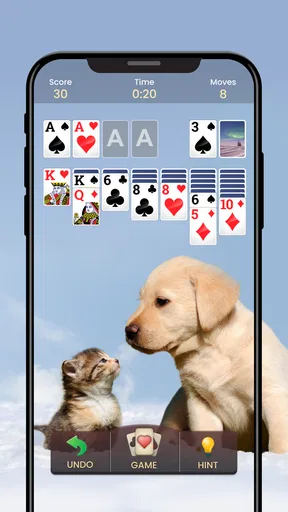
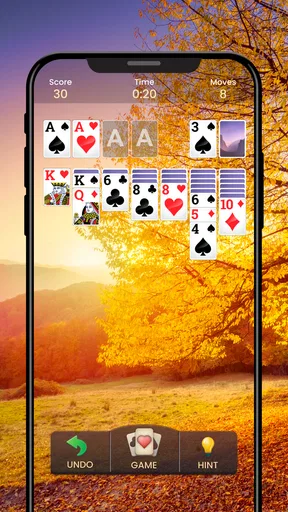
The interface is clean and user-friendly. You won’t find any unnecessary clutter, just a straightforward game that’s easy to navigate. The ads are minimal, which is a huge plus in my book. Nothing is more annoying than being bombarded with ads when you’re trying to enjoy a game. Here, they’re kept to a minimum, so you can focus on stacking those cards.
Settings that shape the session
Because the appeal here is a quiet, repeatable card routine, I’d spend a moment with the settings before settling into a preferred style. Draw 1 and Draw 3 are not simply two difficulty labels: they change how much information I can use while planning. Draw 1 is a sensible default if I want a board that feels approachable, while Draw 3 is a better fit when I’m willing to track the stock order and accept that a promising card may not be available right away.
Hints are most useful when I treat them as a second opinion rather than an automatic instruction. If I’m unsure whether a move opens a column or merely shifts a card, I can check the suggestion, then consider what it reveals about the board. Following hints constantly can make the game feel less like a puzzle and more like a sequence of prompts; saving them for genuine dead ends lets me keep ownership of the decisions.
The app’s straightforward presentation is also a practical advantage on a small screen. I can focus on card ranks and suits without navigating a complicated game hub. If I’m playing one-handed, tap-based play can be easier than dragging every card, while drag-and-drop remains natural when I want more direct control. I’d use whichever feels reliable on my device rather than forcing one method for every move.
Where it sits among solitaire choices
Compared with a physical deck, this version removes setup and cleanup, and it handles the card layout for me. That convenience is why I’d reach for it during a short wait. A physical deck is still better when I want a screen-free break or enjoy handling real cards. Compared with solitaire apps that bundle many variants, this one’s narrower identity can be a plus: I spend less time choosing a mode and more time playing. But someone who likes switching between Klondike, Spider, FreeCell, and other formats may be happier with a collection-style alternative.
It is also different from competitive card games. There is no opponent to read or social pressure to keep pace with, which makes it easy to pause mentally and play at my own speed. That same quietness may feel repetitive if I’m looking for rapid feedback, head-to-head matches, or a strong sense of progression. The daily challenges can offer a reason to return, but I would not treat them as a substitute for a deep campaign or a varied rotation of game modes.
Small habits that make play smoother
My most useful repeatable pattern is to uncover face-down cards before polishing the foundations. When two moves are available, I look for the one that opens a hidden card or frees a column, since new information can create options that were not visible a moment earlier. I also avoid emptying a tableau column without a plan for the space; a vacant column is valuable only if I have a king ready to occupy it or a clear reason to preserve it.
Another good habit is to keep track of the stock instead of tapping through it casually. In Draw 3, I pay attention to which cards appear together and what is blocking the one I need. If I reach for a hint, I first check whether I have overlooked a move in the tableau. This makes each suggestion more informative and helps me learn the patterns rather than simply clearing the current board.
For a realistic everyday use, I might open a game during a coffee-shop wait, choose Draw 1 if I have only a few minutes, and stop after that board instead of turning a brief pause into an endless scroll through the stock. On a longer train ride, Draw 3 gives me more to think about, and offline play means I can still use the time when a connection is unreliable. The best choice is the one that matches the length and mood of the break, not the one that sounds more skillful.
Limits, audience, and value
There are a few trade-offs worth keeping in mind. A familiar ruleset can become samey, especially if the player expects every session to offer something new. The daily challenges help vary the routine, but I would not recommend this as a replacement for a more varied card library if variety is the main reason you play. Nor is it ideal for someone who dislikes touch controls: moving cards on a phone is convenient, but it cannot feel exactly like handling a deck on a table.
The game is rated for Everyone, and its simple premise makes it easy to understand across ages. That does not mean it will suit every player; anyone who wants fast action, multiplayer competition, or a substantial narrative should look elsewhere. It has reached over 10 million installs and holds a 4.7 average from around 342,000 ratings, which suggests a large audience for this kind of familiar, low-pressure play, but popularity alone cannot guarantee that its pace matches your taste.
It is free to download, and the current version is 2.6.0; Android support starts at version 7.0. I would check that compatibility before installing on an older phone. The optional purchases are another reason to decide what you want from the game up front: if the basic solitaire loop is enough, you can simply approach it as a free casual game, while anyone considering extras should review the purchase choices carefully rather than tapping through on autopilot. Playvalve developed it, and the game was released on February 16, 2021.
Who will enjoy it most
I’d recommend this to someone who already knows solitaire, wants a familiar game close at hand, and values a quiet activity that can fit into small gaps in the day. It is particularly suitable for players who like choosing their own pace, alternating between easier Draw 1 sessions and more deliberate Draw 3 play, and returning to a daily challenge now and then. If you are introducing a new player to solitaire, the clean layout and hint option can make the first sessions less intimidating, though I’d encourage them to pause and think before using hints so they learn the logic.
I’d skip it if I wanted several card games in one place, a strong reward system, or multiplayer interaction. I would also choose a physical deck for a screen-free evening, or a broader solitaire collection if I knew I would tire of one familiar format. Those are not flaws in the basic idea; they are limits of a focused phone game. The key question is whether repeating a recognizable puzzle sounds relaxing to you or starts to feel like doing the same task again.
Why You Should Download It
So, why should you give this app a try? Well, if you’re a fan of classic card games, this is a no-brainer. It’s a great way to relax without the pressure of complex rules or time limits. Plus, it can be a fun way to challenge yourself and improve your skills over time. And let’s not forget about the soothing background music that just adds to the overall chill vibe.
In conclusion, Solitaire - Classic Card Game is a delightful throwback to simpler times. It’s perfect for anyone looking to unwind with a classic game that’s both entertaining and nostalgic. So, go ahead and give it a download—you might just find yourself hooked!
My verdict after settling into the routine
What keeps me coming back is not a promise of endless novelty; it is the convenience of having a known puzzle ready when I have a spare moment. The most satisfying sessions are the ones where I take a second to inspect the tableau, choose a draw style that fits my attention span, and use hints only when they teach me something. That approach makes the game feel more thoughtful without turning a casual break into homework.
For me, this is a dependable choice when the goal is a calm, familiar card game on a phone. I would not call it the most varied option in the category, and I would not recommend it to someone who needs social play or constant new mechanics. But if the classic solitaire loop is exactly what you want, Playvalve’s version is easy to approach and convenient to keep around. That focused appeal is ultimately its strength—and also the clearest guide to whether it belongs on your device.
Pros
- Smooth gameplay with intuitive controls.
- Minimal ads for a free app version.
- Customizable themes and card backs.
- Offline mode available for travel.
- Daily challenges add replay value.
Cons
- Limited hints in free version.
- Occasional lag on older devices.
- No multiplayer option available.
- Some in-app purchases are pricey.
- Ads can interrupt gameplay flow.
FAQs for Solitaire - Classic Card Game
What features does Solitaire - Classic Card Game offer to enhance the user experience?
Solitaire - Classic Card Game offers a variety of features designed to enhance your gaming experience. These include customizable card themes and backgrounds, daily challenges, and an intuitive interface. The game also provides unlimited undo options, hints to assist in gameplay, and a statistics tracker to monitor your progress.
Is Solitaire - Classic Card Game suitable for all ages?
Yes, Solitaire - Classic Card Game is suitable for players of all ages. Its simple rules and engaging gameplay make it accessible to both younger players and adults. The game also includes tutorials for beginners, ensuring that anyone can learn how to play with ease.
Does the app require an internet connection to play?
No, Solitaire - Classic Card Game does not require an internet connection to play. You can enjoy the game offline, making it a perfect choice for playing during travel or in areas with limited connectivity. However, some features like daily challenges may need internet access.
Are there any in-app purchases or ads within Solitaire - Classic Card Game?
Yes, the app includes both in-app purchases and ads. Players can opt to remove ads through a one-time purchase. Additionally, there are optional in-app purchases available for players who want to enhance their gaming experience with special themes or features.
What devices and operating systems are compatible with Solitaire - Classic Card Game?
Solitaire - Classic Card Game is compatible with both Android and iOS devices. It supports a wide range of smartphones and tablets, ensuring you can enjoy the game on your preferred device. The app is regularly updated to maintain compatibility with the latest operating system versions.


